Makers write quotes in their own trade's words. This page explains them in plain language, and what each one means for your part and your price. You never need to choose these settings yourself: say what the item is for, and the maker picks them.
The printer and the process
FDM (filament printing) The most common kind of printer. It melts a plastic thread and draws the part layer by layer. Strong, affordable, many colors. See How 3D printing works.
SLA / MSLA (resin printing) A printer that hardens liquid resin with light. Finer detail and smoother surfaces than filament, at a higher price.
Filament The plastic thread, on a spool, that an FDM printer melts. PLA, PETG and TPU are kinds of filament.
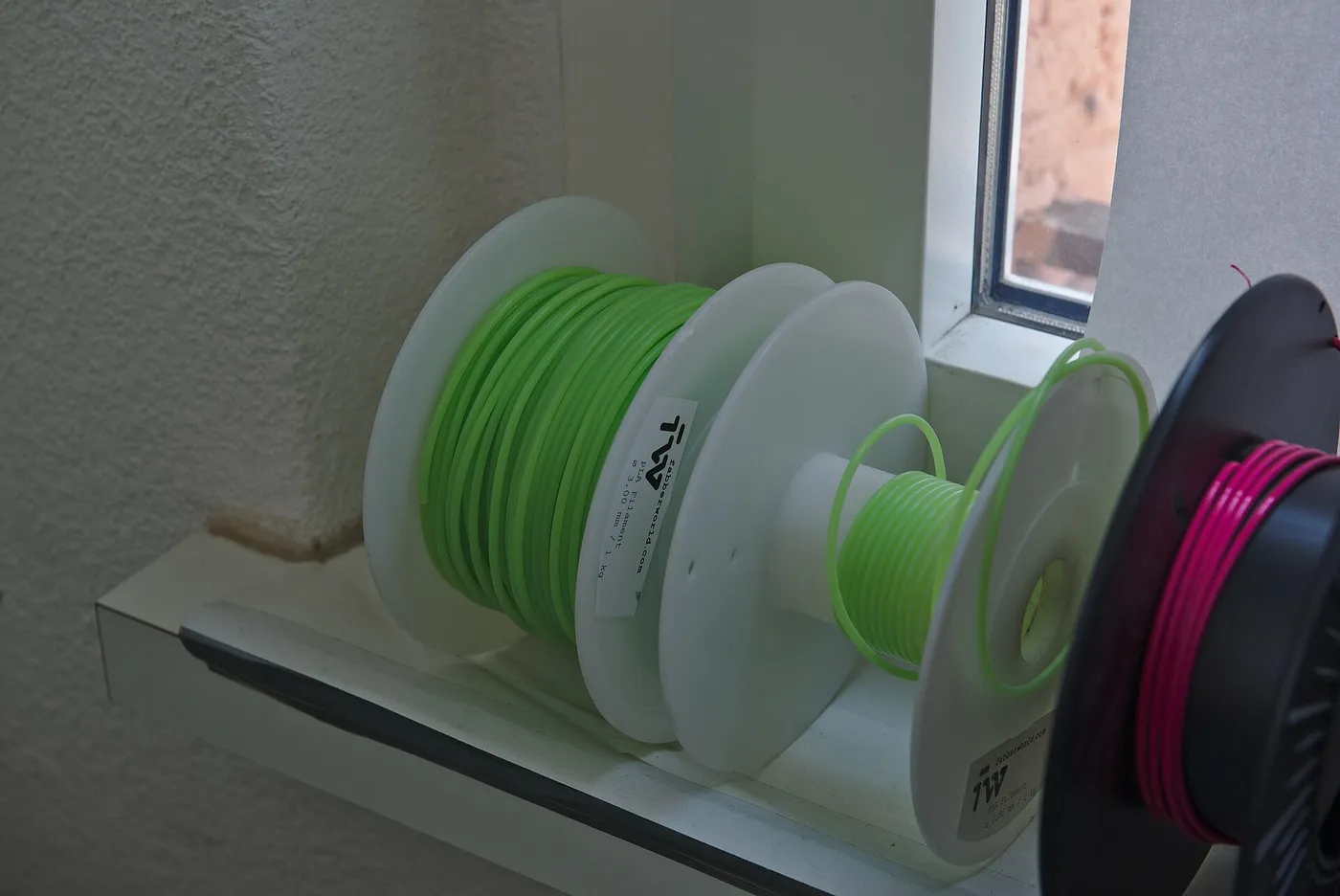 Filament on spools, ready to print. Photo: Tonnerre Lombard, CC BY 2.0, via Wikimedia Commons.
Resin The liquid a resin printer hardens. Standard resin is hard and detailed but can chip; tough resin bends a little before it breaks.
Slicer / slicing The software that cuts your 3D model into layers and works out the print time and plastic used. When a maker "slices" your file, they are working out what it will take to print.
The settings in a quote
Layer height How thick each layer is, usually 0.1–0.3 mm on filament. Thinner layers mean a smoother surface and a longer, more expensive print. Display pieces suit thin layers; brackets and boxes do not need them.
Infill How solid the inside of the part is. Most prints are a strong outer skin with a light criss-cross inside. 15–25 % infill is normal for everyday parts; a part that takes weight gets more.
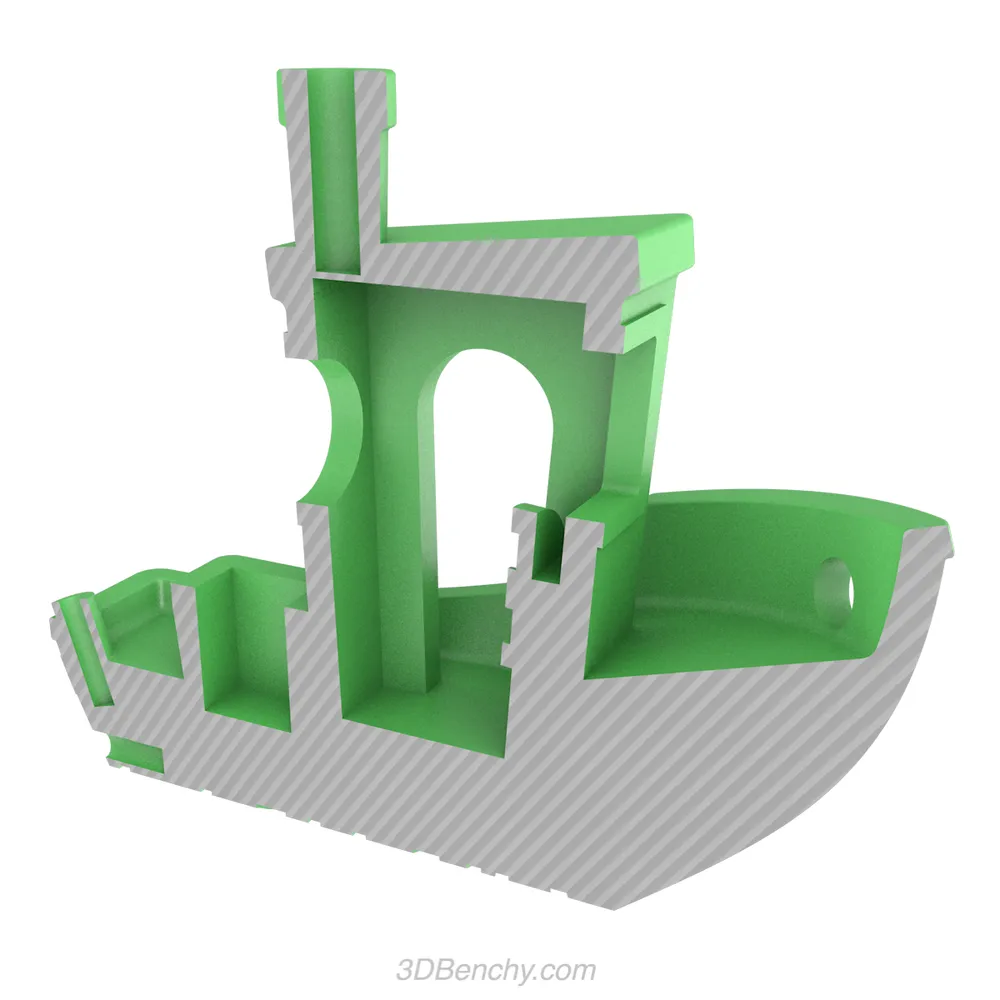 Outer walls in grey, infill in green. Image: CreativeTools, 3DBenchy, CC0, via Wikimedia Commons.
Walls (perimeters) The solid outer lines of each layer. More walls make a part stronger and better for sanding or drilling.
Supports Temporary scaffolding printed under parts that hang out in the air, removed afterwards. They can leave small marks where they touched. Good part orientation needs fewer of them.
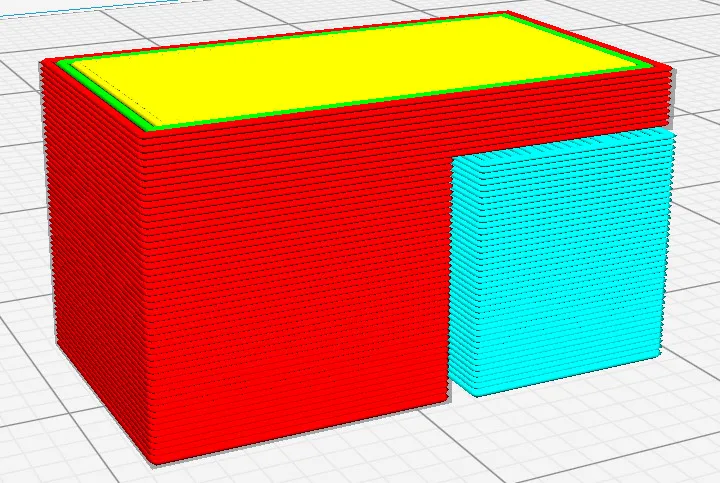 In a slicer preview: the part in red, and support (light blue) holding up the overhang. Image: M6oh7z, CC BY-SA 4.0, via Wikimedia Commons.
Orientation Which way up the part sits on the printer. It changes strength, surface finish and how many supports are needed. See Why part orientation matters.
Nozzle size How wide a line the printer draws, usually 0.4 mm. A smaller nozzle gives finer detail but prints slower.
Tolerance How close to the exact size the part comes out, often within a few tenths of a millimetre on filament. If your part must fit something else, give the measurement that matters.
Materials you will see
PLA: the everyday plastic. Easy to print, many colors, fine indoors; softens in a hot car. PETG: tougher and more heat-tolerant than PLA, for parts that get handled or sit in damp or shade. ABS / ASA: heat-tolerant plastics; ASA also stands up to full sun. TPU: rubbery and flexible, for bumpers, grips and phone cases. Silk / matte / translucent: finishes of a filament (shiny, flat, or lets light through), mostly for display pieces.
The full comparison, with what each is good and bad at, is in the materials guide.
Files
STL: the most common 3D file. Shape only, no color or units. 3MF: a newer format that can also carry color, material and units. STEP: an engineering CAD file with exact geometry, best for parts with precise dimensions. OBJ: a 3D file often exported from 3D-art tools.
No file at all? That is fine: see No 3D file? How to order from a photo or a description.
After printing
Post-processing: anything done after the print comes off the printer: removing supports, sanding, priming, painting, gluing parts together. Curing: hardening a resin print fully under UV light. Every resin print is cured. Layer lines: the fine ridges on a filament print's surface, one per layer. Sanding and priming hide them. Multi-color print: a print where the printer switches colors as it goes, so the colors are in the plastic rather than painted on.
In the order itself
Quote: a maker's offer: price, delivery date and notes. You compare quotes and accept one. Quality photos: on a custom job, photos of your finished print that you approve before it ships. Verified maker: a maker who has completed our onboarding. What verification covers.
Still unsure what a quote means? Ask the maker in the order thread. Makers are used to explaining, and a question costs nothing.